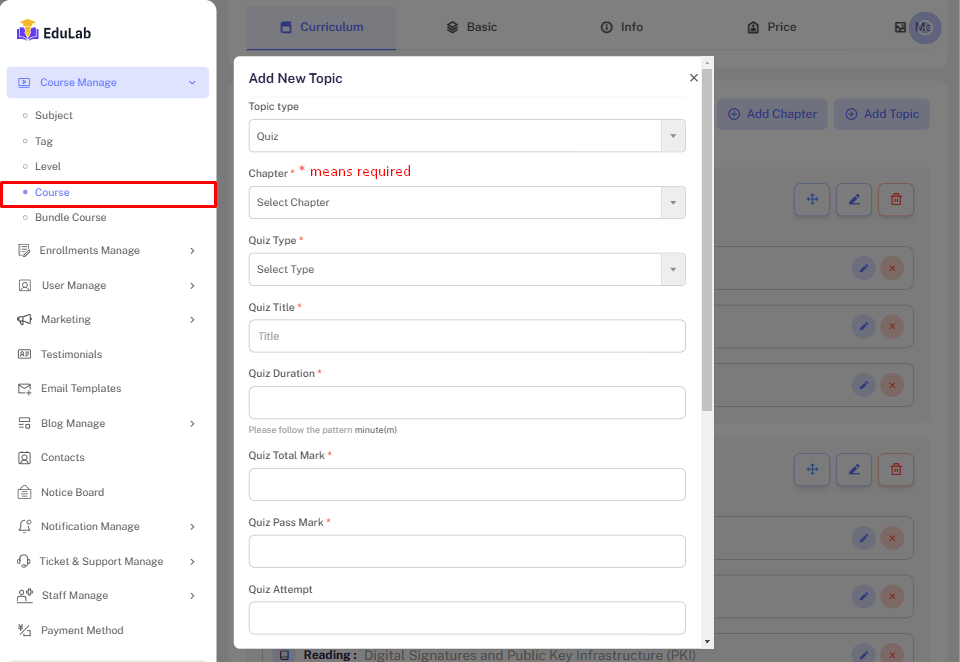
Quiz Create
Go to Admin->Course Edit -> Curriculum -> Topic Type Quiz
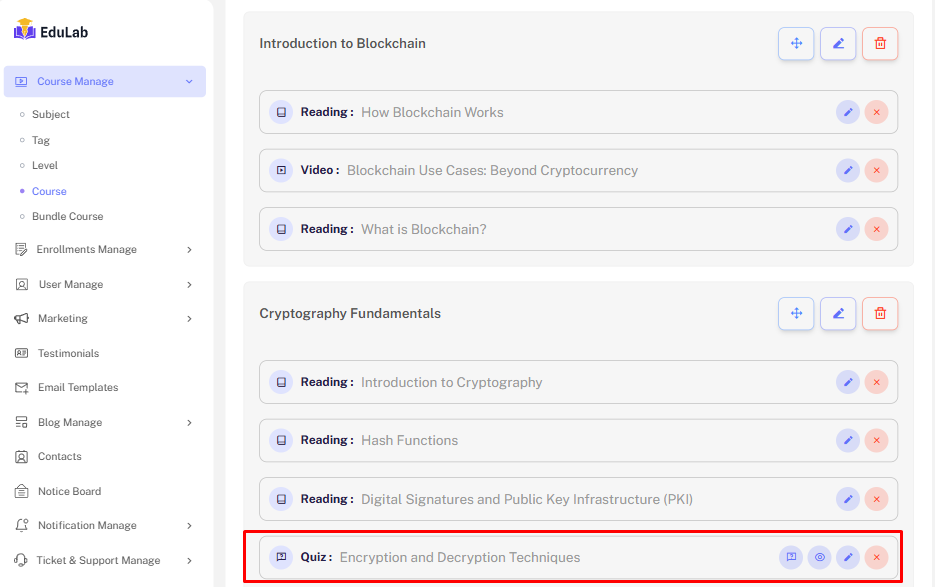
Quiz list
After creating the quiz. We see the list. like below-
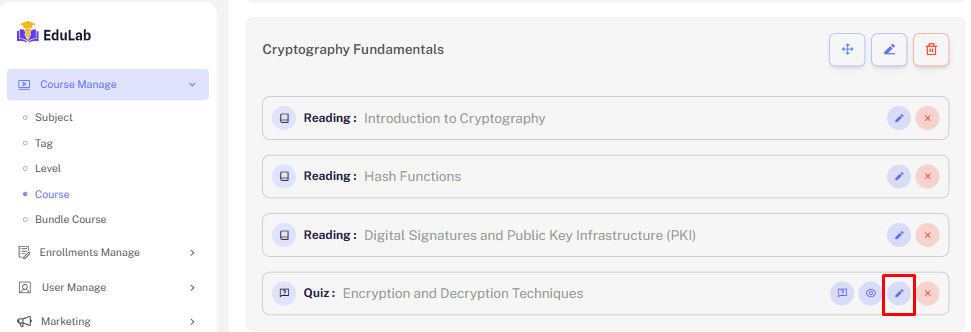
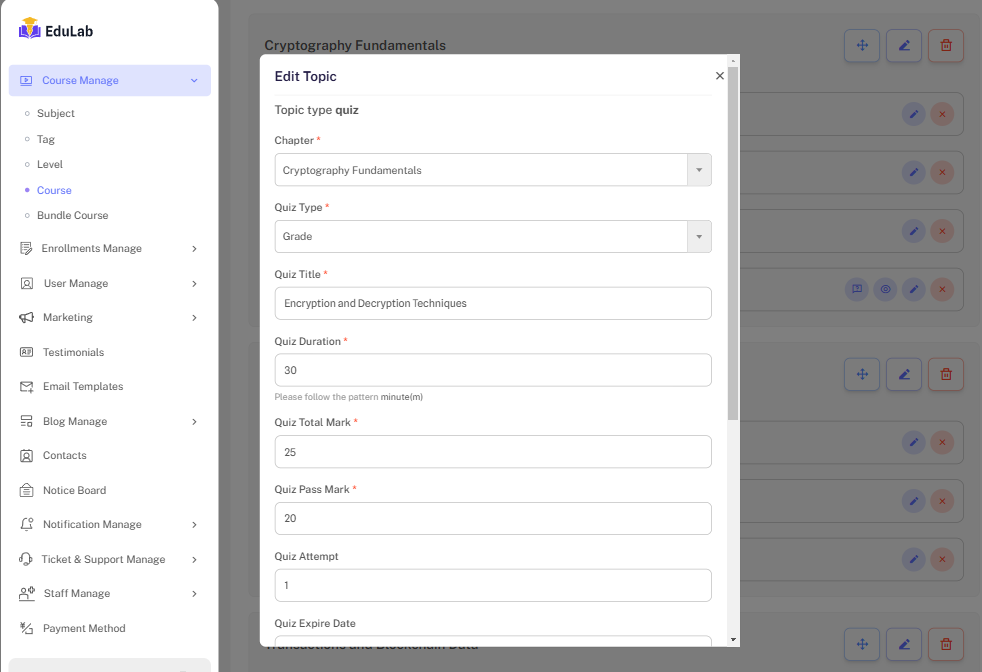
Edit
Step 01: Click on edit button
Step 02: Fill the required information and click on Update button
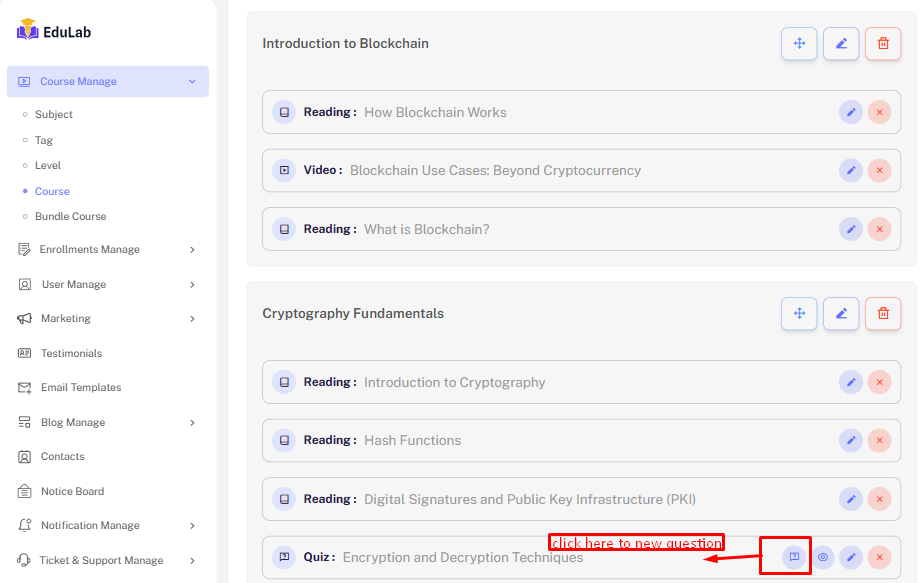
Question Add
Step 01: Click on add question button
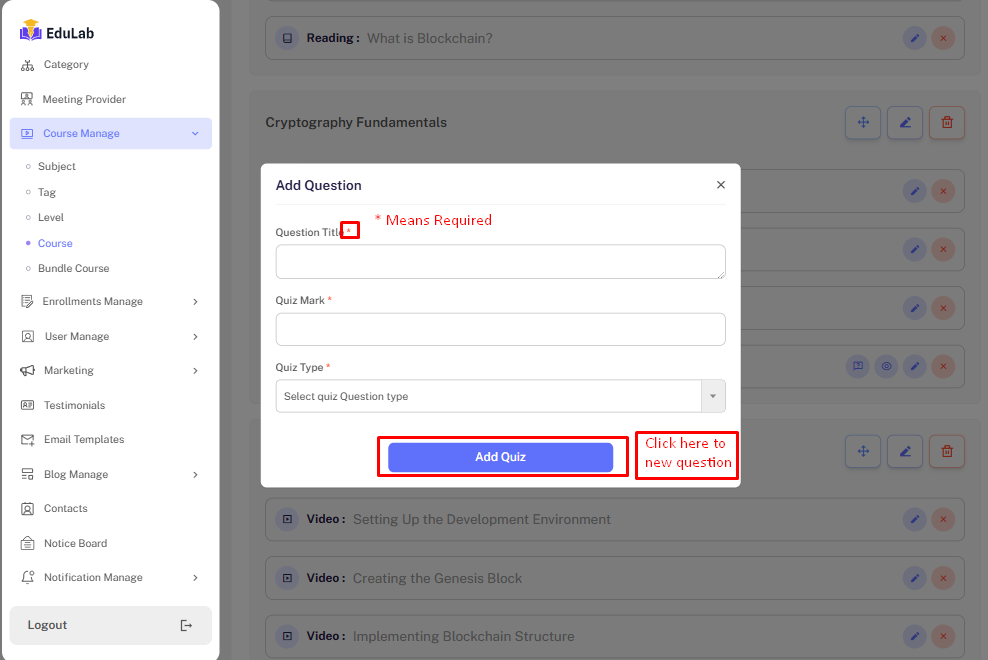
Step 02: Fill the information and click the Save button
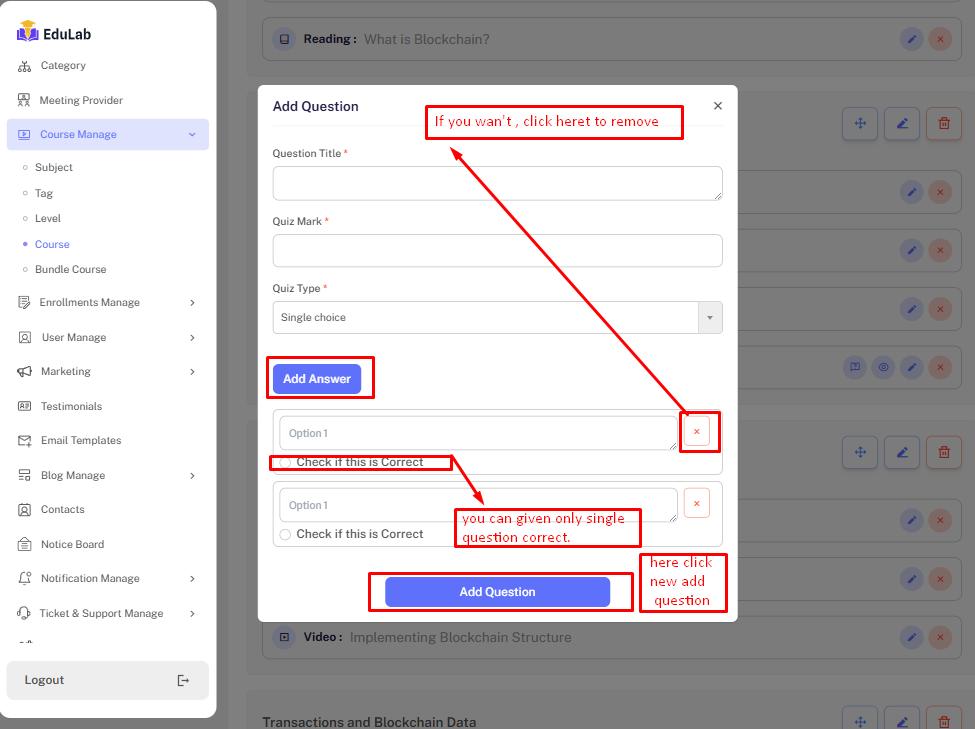
While create new question, you see three question type
- Multiple choice
- Single choice
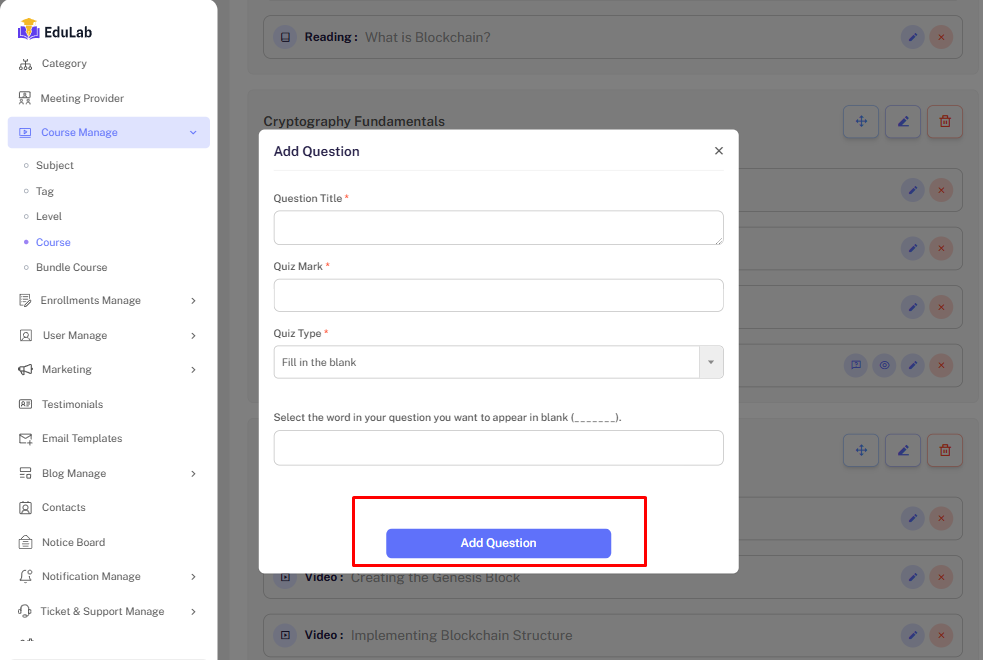
- File In Blank
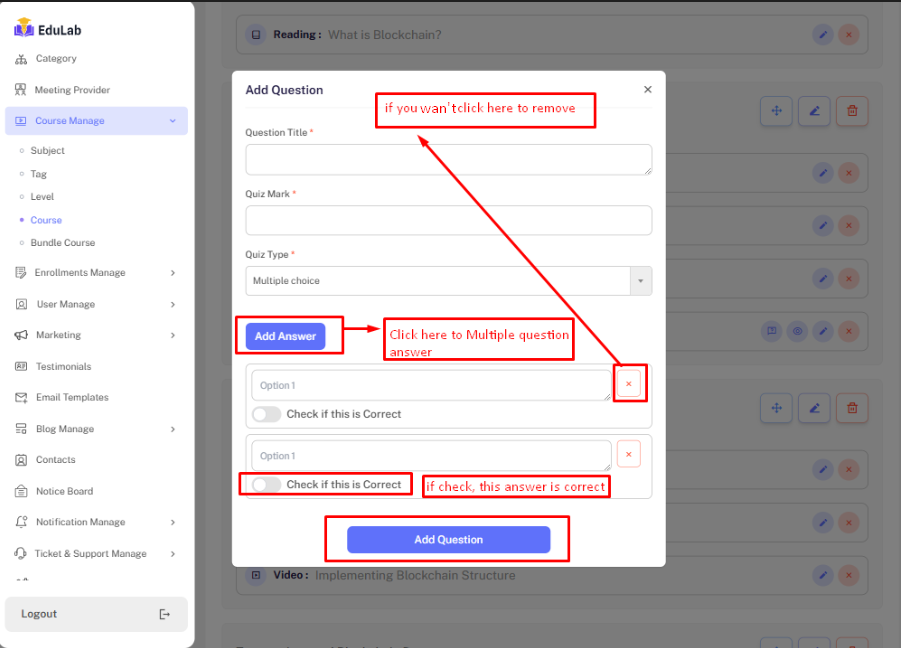
Multiple choice
When select multiple choice and you can add multiple answer and multiple checked correct answer.
Single choice
When select Single choice and you can add multiple answer and single checked correct answer.
Fill In Blank
When select fill in Blank choice
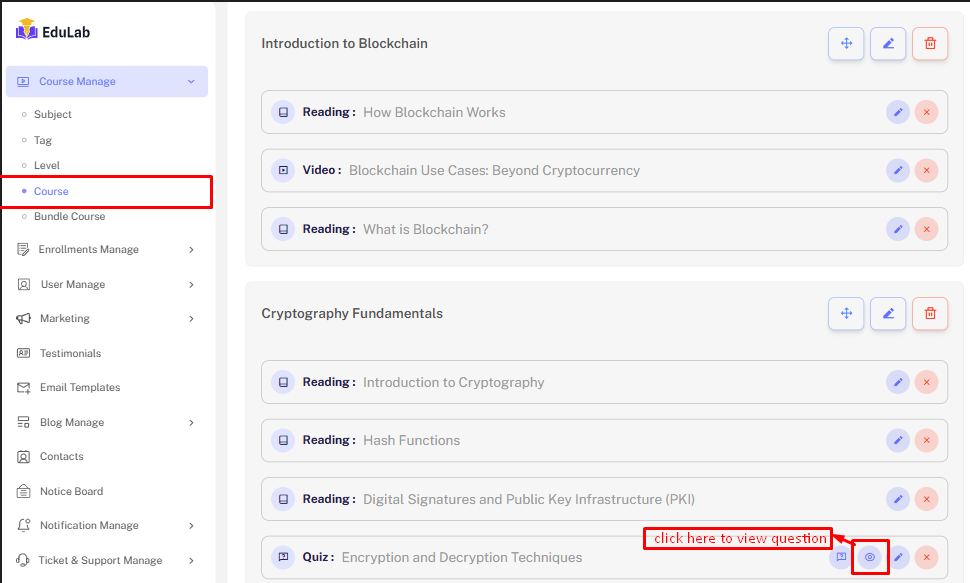
Question List
Step 01: click the Question View button
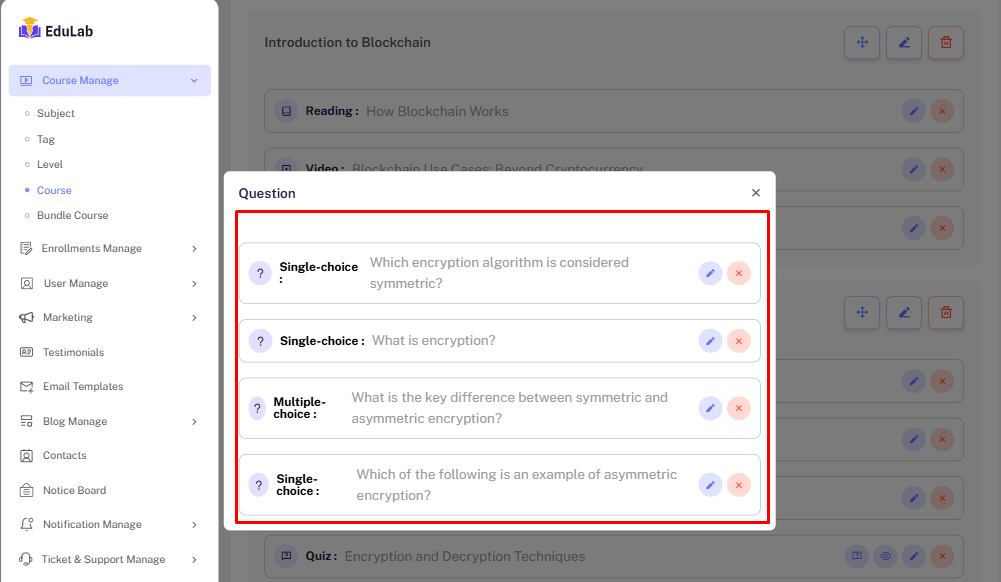
Step 02: See all Question
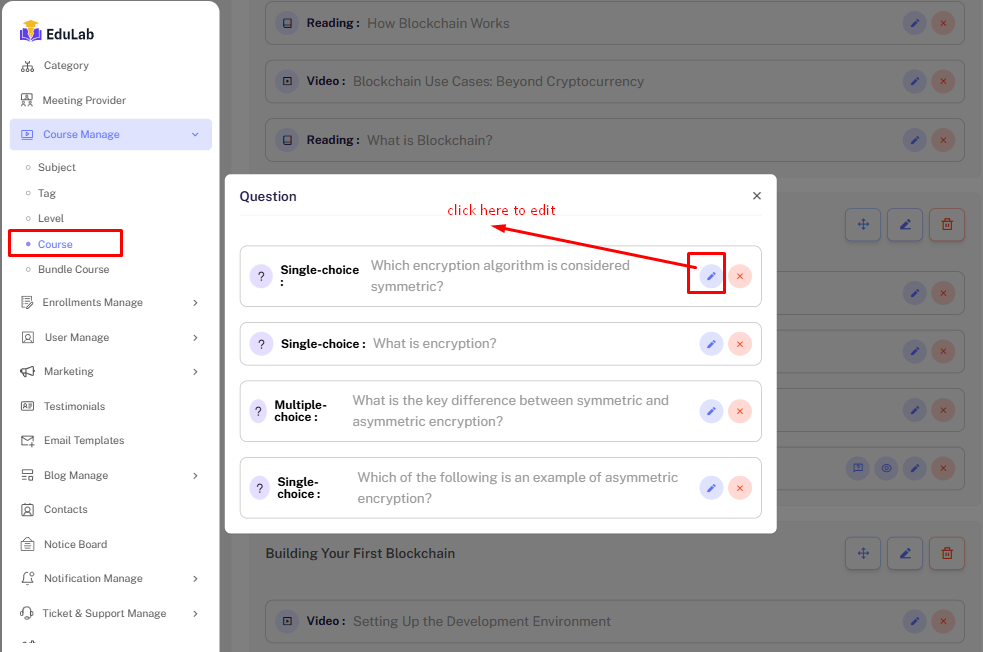
Edit
Step 01: Click on edit button
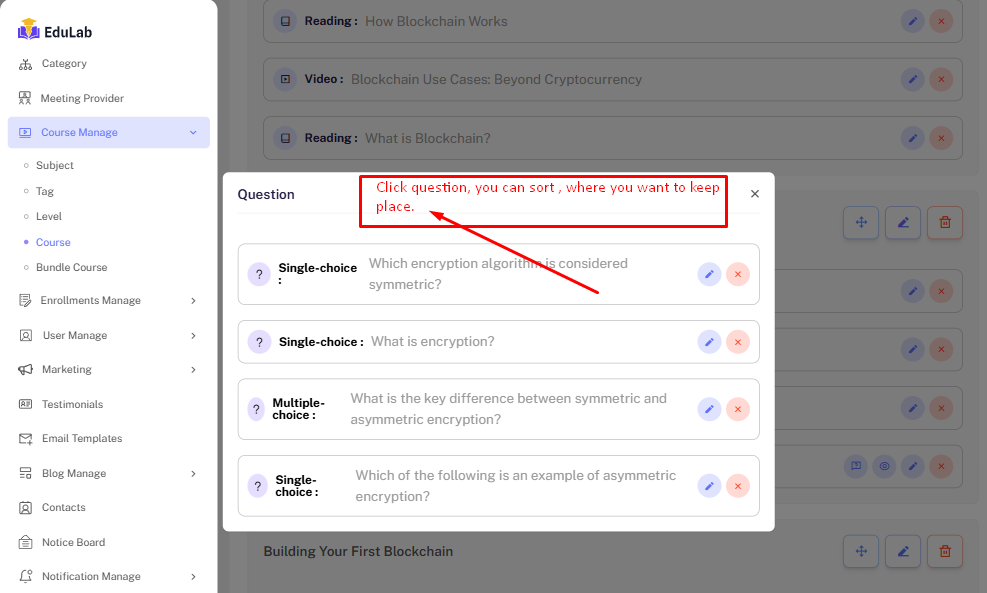
Sort
Step 01: Click on question. You can sort where you want to keep place.
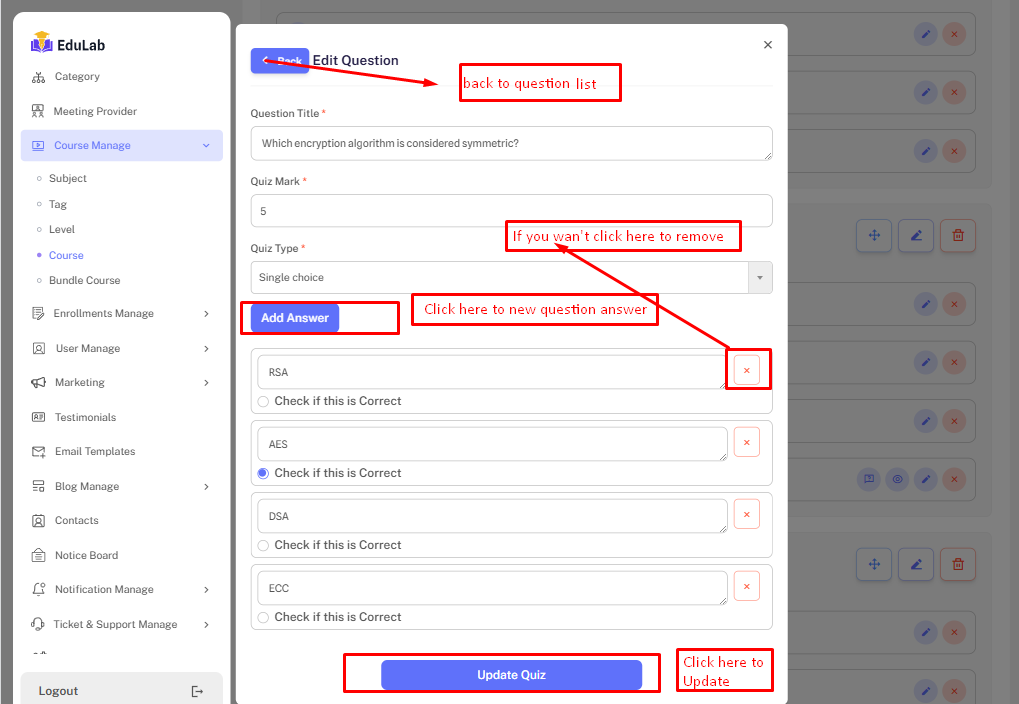
Step 02: Fill the required information and click on Update button
Delete
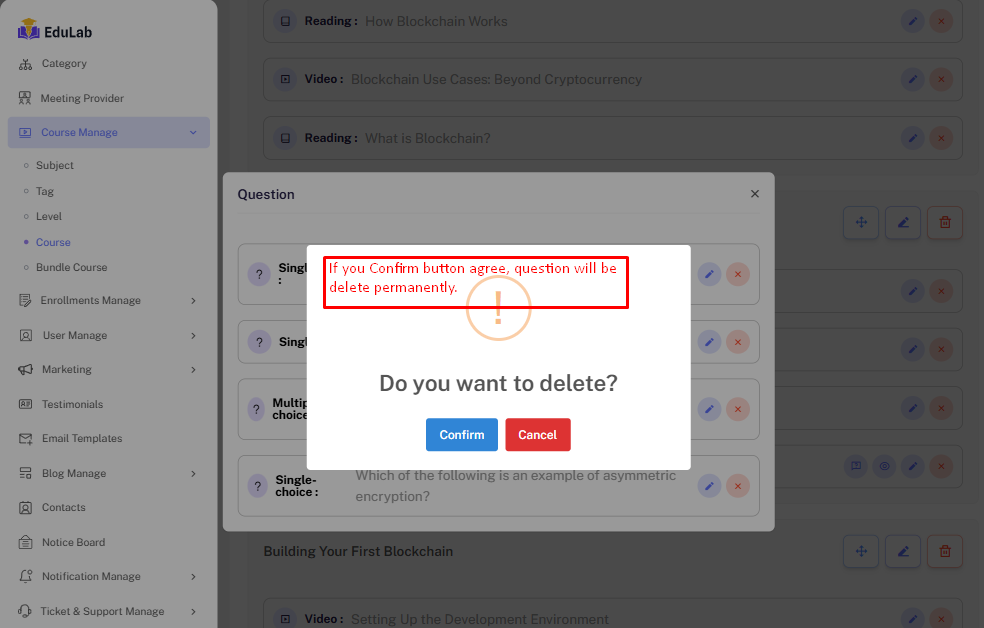
Step 01: Click the delete button
!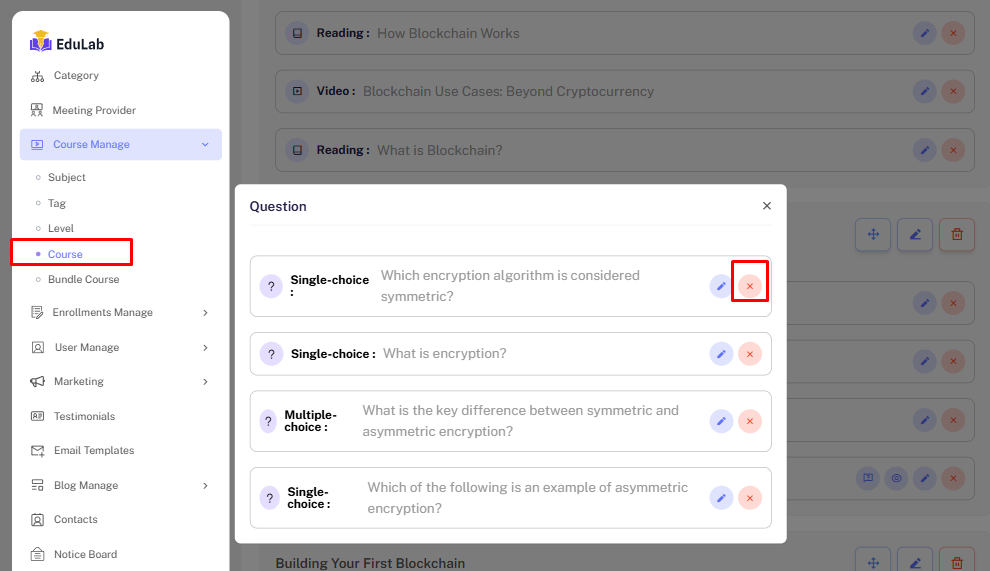
Click confirm button to delete the question. Question will be delete permanently.